


Plexamp
4.52.95K Reviews
App Specs
- Version
- 4.12.4
- Updated On
- License
- Free
- Downloads
- 500,000+
- Developer
- Plex, Inc.
- Categories
- Music & Audio
- Platform
- Android
Screenshots
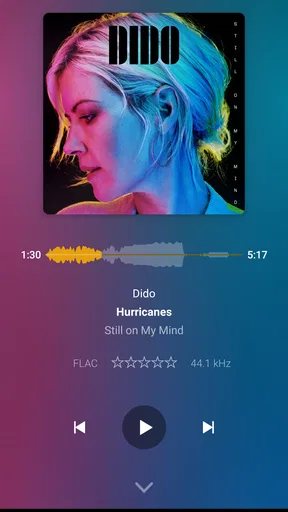
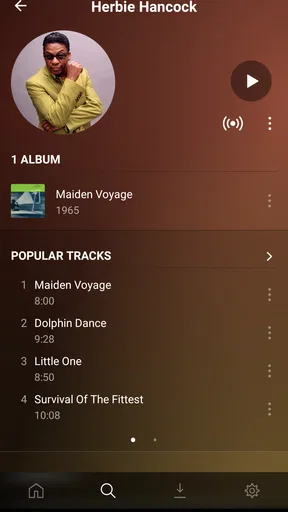
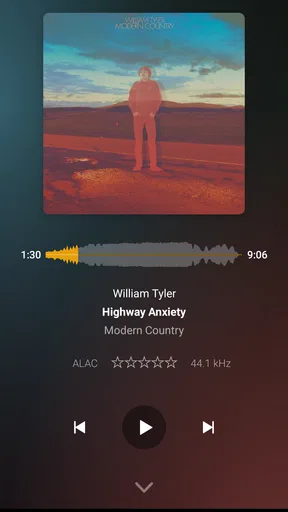
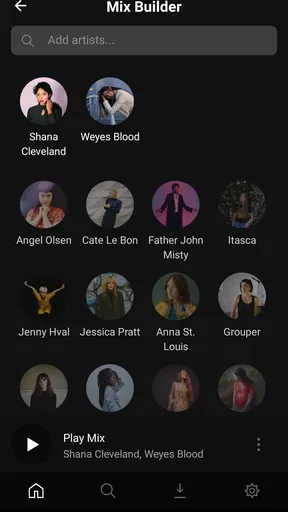
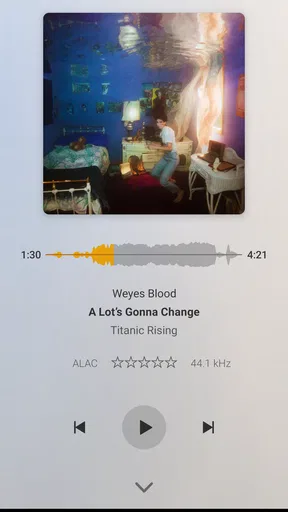
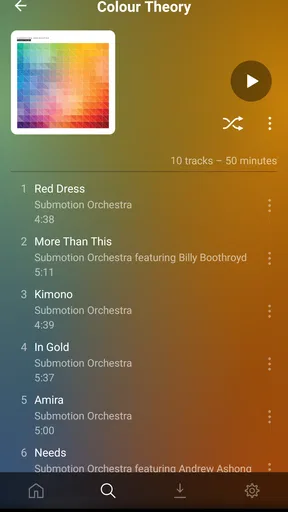
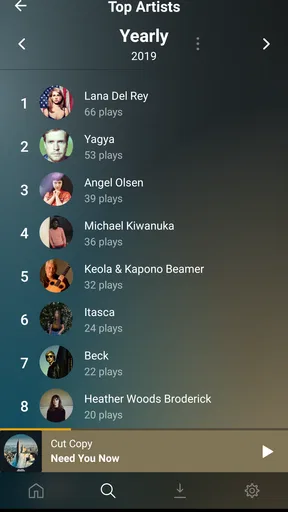
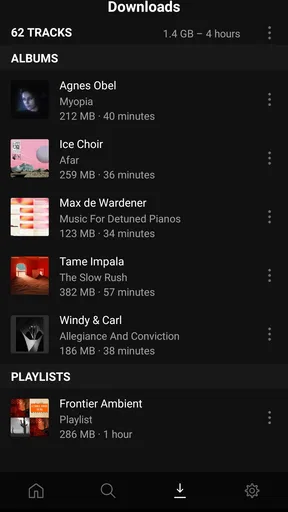
 Analysis by AppCompare
I approached Plexamp as a decision rather than a quick download: is it the right music player for the way you already listen, organize, and discover music? My answer is yes for people who keep a personal collection in Plex and want a focused listening experience around it. It is less convincing if your entire music life happens inside a streaming catalog and you do not want to manage a library.
That distinction matters because this is not simply another general-purpose audio app. Plexamp is a Music & Audio app from Plex, Inc., built around the Plex ecosystem. The store summary calls it a beautiful Plex music player, but that short description does not explain the practical trade-off: its value depends heavily on whether Plex is already part of your routine.
What I considered before recommending it
When I judge a music player, I look beyond sound quality. I want to know how quickly I can reach an album, whether the interface encourages listening instead of fiddling, how well it handles a large personal library, and whether moving from another player would be worth the effort. I also ask a simpler question: will this app make ordinary listening easier, or will it add another system to maintain?
For a Plex user, the first criterion is library fit. If your music is already organized through Plex, the app feels purpose-built rather than forced into the job. If your files are scattered across a phone, computer, cloud folder, and several streaming services, the experience is not automatically a replacement for all of them. I would decide based on the source of your music first, then on interface preferences.
The second criterion is focus. Many music services combine songs with video, podcasts, social recommendations, ticketing, and other distractions. Plexamp takes a narrower approach. I found that appealing when I wanted to listen to albums or move through a collection without navigating a large entertainment storefront. That focus is a genuine advantage, although it also means the app is not designed to be everyone’s universal music destination.
The third criterion is willingness to use Plex as the center of the workflow. This is the hidden cost of choosing it. The app itself is free, and the age rating is Everyone, but the most satisfying experience comes when your library, server setup, and listening habits already align with Plex. A free player can still require time and attention if your music is not prepared for it.
What daily listening feels like
In everyday use, I would reach for it when I wanted a calm route from “I have music” to “music is playing.” A realistic example is an evening at home: I finish work, open the player, choose an album I have not heard recently, and let the collection carry the session. That is a different mood from opening a streaming app and immediately comparing playlists, releases, and recommendations.
Worth Reading Before You Choose

Flipboard Shows What News Apps Must Do Beyond the Feed

Switching to Android Auto Means Rethinking Your Driving Routine

Google Calendar Makes a Crowded Week Easier to Manage

Ludo King Makes the Most of the Minutes Between Plans

Baby Panda World Brings Quick Play to Modern Phones, but Its Game Library Feels Busy

ESPN’s Live Game View Makes Following Close Games Easier
The app makes the most sense for album listeners, collectors, and people who care about the shape of their own library. It gives that collection a dedicated front end instead of making me browse it through a general media interface. I also like the idea of using it for background listening while cooking or reading, because the decision is often “play from my collection,” not “search the entire internet for something.”
One practical tip is to treat the library organization as part of the listening experience. Before blaming the player for a confusing result, I would check how albums, artists, and artwork are arranged in Plex. A clean source library pays off here. This is not a criticism unique to the app; it is the trade-off of choosing a player that respects a managed personal collection instead of hiding the underlying organization.
Where the focused design wins
The strongest advantage is concentration. Plexamp does not need to compete with a crowded home screen full of unrelated media categories. When I want a music-first environment connected to Plex, that narrower identity is useful. It can feel more intentional than opening a broad media app and drilling down to audio.
Another strength is continuity for people already invested in Plex. The developer, Plex, Inc., is not an unfamiliar name in this context, and the app fits naturally into a Plex-centered setup. I would not choose it merely because the name is recognizable, but existing Plex users have a clear reason to test it: they are not starting from an entirely unrelated library model.
The public response also suggests that the app has found an audience. It holds a 4.5 average from roughly 23 thousand ratings, with about 3 thousand written reviews, and has passed 500 thousand installs. I see those figures as useful context rather than proof that it will suit me personally. A popular music player can still be the wrong choice for someone whose collection lives elsewhere.
I also appreciate that the app is free to install. That lowers the barrier to a practical trial, especially if I already use Plex. However, the presence of in-app purchases means “free” should not be interpreted as a promise that every possible Plex-related listening arrangement has no cost. I would review the purchase screen carefully and decide whether the available experience matches my needs before changing my whole setup.
Three workflows that are easy to overlook
First, I would use Plexamp as a dedicated listening layer rather than as the place where I solve every library problem. Organizing files, correcting metadata, and deciding how albums should appear are separate tasks. Keeping those jobs separate makes troubleshooting easier: if the music is missing or grouped incorrectly, I know to inspect the library side instead of repeatedly reinstalling the player.
Second, I would use it for deliberate album rotation. Instead of relying only on a familiar playlist, I could choose an artist or part of my collection and let the player become a doorway into music I already own. This is especially useful for listeners who have accumulated more albums than they remember. The benefit is not a magical discovery engine; it is making a personal archive feel usable again.
Third, I would test it during the exact moments when I normally abandon music apps: commuting, cooking, or switching between short listening sessions. A player can look elegant during a five-minute test and still feel awkward when I need to resume quickly. I would check whether my usual route from opening the app to starting an album feels natural. That small test tells me more than a screenshot.
A further trade-off is that a dedicated library player rewards patience. If I expect the app to instantly replace a streaming service’s huge catalog, I may be disappointed. If I see it as a refined way to reach music managed through Plex, the purpose becomes clearer. The best reason to choose it is not that it does everything; it is that it concentrates on one listening relationship.
When a different kind of music app is better
I would steer a friend toward a mainstream streaming app instead if their priority is access to music they do not own or manage. Those services are generally better suited to someone who wants a ready-made catalog, editorial playlists, quick searches for unfamiliar releases, and minimal library administration. Plexamp may still complement that setup, but it should not be treated as an automatic substitute.
I would also consider a basic local-file player for someone who keeps a small selection directly on a phone and wants the simplest possible arrangement. If there is no interest in Plex, no need to access a larger managed collection, and no desire to build a server-based routine, Plexamp may introduce more structure than the listener needs.
On the other hand, a broad media app may be preferable for a household that wants music and video in one place. Plexamp’s music-first identity is its appeal, but that same specialization can be inconvenient when I want one app to handle several forms of entertainment. The right choice depends on whether separation feels like clarity or fragmentation.
I would also pause if I dislike troubleshooting. Any library-centered workflow can involve questions about organization, access, and consistency between the collection and the player. I am not saying those issues will affect every user, but I would not recommend this as the most carefree route for someone who wants to install an app and never think about the system behind it.
What switching actually costs
The financial entry point is straightforward: the app is free, while listed in-app purchases range from $0.99 to $949.99 per item. That unusually broad range is a reason to read purchase details rather than assume the cheapest or most expensive possibility applies to everyone. I would begin with the free installation, explore the workflow, and only then decide whether any paid option is relevant.
The larger cost is time. Switching from a familiar streaming or local player means changing where I search, how I organize music, and what I expect to see when I open the app. If my music is already in Plex, that cost is relatively small because the move feels like changing the listening surface. If it is not, the setup work may outweigh the interface benefits.
There is also a habit cost. People often underestimate how much they depend on saved playlists, automatic recommendations, offline routines, or a particular queue behavior. I would not abandon an established service after one attractive session. I would run both for a few days, using Plexamp for the albums I know best and checking whether I miss features from the old player during normal routines.
Compatibility is worth checking before committing. The current version is 4.12.4, and the app requires Android 6.0 or later. That makes the minimum operating-system requirement important for anyone using an older device. I would verify the phone’s software before planning a switch, particularly if the device is kept for music because it has limited storage or a headphone connection I prefer.
Who should install it first
I think the strongest candidate is someone with a meaningful Plex music library who wants a more dedicated way to listen to it. That includes people who collect albums, maintain their own files, or feel that general streaming apps make personal music harder to appreciate. For those listeners, the app’s purpose is clear and the trial is relatively low risk.
It also suits listeners who prefer choosing an artist, album, or collection over endlessly browsing recommendations. I often enjoy that kind of control. The app is a good fit when the question is “what in my library do I want to hear?” rather than “what can a service suggest to me today?”
I would not make it my first recommendation for a person who wants one subscription-based catalog, instant access to everything, and no interest in Plex. Nor would I choose it for a listener whose only requirement is playing a handful of files stored locally with the fewest possible moving parts. In both cases, a different category of app is likely to feel more direct.
For families or shared spaces, I would test the account and library workflow with the people who will actually use it. A system that feels beautifully organized to its owner can feel restrictive to someone who simply wants to start music quickly. The decision should include those everyday users, not just the person who manages the collection.
My recommendation after weighing the trade-offs
I recommend Plexamp to Plex users who want a music-specific player and are comfortable letting their managed library guide the experience. Its free starting point, Everyone age rating, and focused design make it easy to try, while its 4.5 average shows that many listeners find the approach worthwhile. I would still treat the rating as encouragement to test, not as a replacement for matching the app to your own habits.
My advice is to begin with one concrete experiment: choose a normal listening period, use the app with the albums you already know, and see whether reaching music feels simpler than it does in your current player. Then try a second session where you browse something you have neglected. If both sessions feel natural, the app is probably solving a real problem rather than merely looking attractive.
For me, the deciding point is the relationship between the player and the library. Plexamp is strongest when those two pieces already belong together. It is not the universal answer for streaming discovery, lightweight local playback, or all-in-one media consumption, but it can be a thoughtful upgrade for a personal Plex collection.
My clear recommendation: install it if Plex is already where your music lives and you want a calmer, more dedicated listening experience. Skip it, or test a different category first, if you want a vast ready-made catalog or the least possible setup. The app earns its place not by replacing every music tool, but by making one specific kind of listening feel more deliberate.
Pros
- Excellent audio quality with support for high-resolution music files.
- Smart playlists and mixes make large music libraries easier to explore.
- Downloads enable offline listening for Plex Pass subscribers.
- Gapless playback works well for albums and live recordings.
- Clean interface designed specifically for music rather than video content.
Cons
- Requires a Plex Media Server for access to your personal music collection.
- Many advanced features are locked behind a Plex Pass subscription.
- Server setup can be confusing for users without technical experience.
- Limited usefulness if you mainly stream music from commercial services.
- Battery and mobile data usage may increase when streaming high-quality audio.
FAQs for Plexamp
What is Plexamp, and what can I use it for?
Plexamp is a music player designed for listening to a personal music library managed through Plex Media Server. After connecting it to your Plex account, you can browse albums, artists, playlists, mixes, radio stations, and other organized collections. It is especially useful for people who own digital music files and want a polished mobile player instead of relying on a basic file browser or a general streaming service.
Do I need a Plex Media Server to use Plexamp?
Yes, Plexamp is primarily built to play music stored on a Plex Media Server. You normally need to install Plex Media Server on a computer, NAS device, or compatible server, add your music library, and sign in with the same Plex account on Plexamp. This setup takes some time, particularly for first-time users, but it gives you control over your collection and lets you access it remotely when your server is available.
Does Plexamp work offline without an internet connection?
Plexamp supports downloading music for offline listening, which is helpful when traveling, commuting, or trying to reduce mobile data usage. You must prepare the downloads while connected and have the necessary account access and server configuration. Offline availability can depend on your Plex setup and subscription status, so it is worth checking the current requirements before relying on the app for a trip or an area with unreliable connectivity.
Is Plexamp free to download and use?
Plexamp can be downloaded for Android and iOS, but some of its advanced features may require a Plex Pass subscription. Basic access and available functionality can change as Plex updates its plans, so users should review the current pricing and feature list in the official app store or Plex website. A subscription may unlock options such as enhanced playback tools, downloads, and additional personalization features.
What music formats and audio features does Plexamp support?
Plexamp is intended to handle common digital music libraries, including widely used formats such as MP3, AAC, FLAC, and other formats supported by Plex Media Server. Playback quality also depends on the original files, server hardware, network connection, and whether transcoding is required. The app offers a polished listening experience with queue management, playlists, visualizations, gapless playback support, and discovery features, although exact options can vary by device and configuration.


